
Petanco logo

document

  • Service site
  • Create account
document > contract and payment > Check payment history
Return to home
  • For first time users
  • contract and payment
  • How to use (for organizers)
    • action environment
    • Account login
    • Dashboard
    • Campaign settings
    • spot setting
    • Benefit settings
    • Survey settings
    • design settings
    • Option settings
    • LINE cooperation
    • Download QR code
    • Operation test
    • Pre-check and work on the day
    • How to notify winners
    • Trouble/inquiry handling
    • Fraud prevention measures
    • frequently asked questions
  • How to use (for participants)
    • Notes
    • action environment
    • stamp method
    • How to apply and exchange benefits
    • data backup
    • Use of camera and location information
    • frequently asked questions

Check payment history

We will explain how to check your payment history.。

Payment history is、You can check it on the "Account Information" page.。

Application date in the “Payment History” section、Payment history including payment method is displayed.。

Payment history processed from the application form will not be reflected.。Please note。
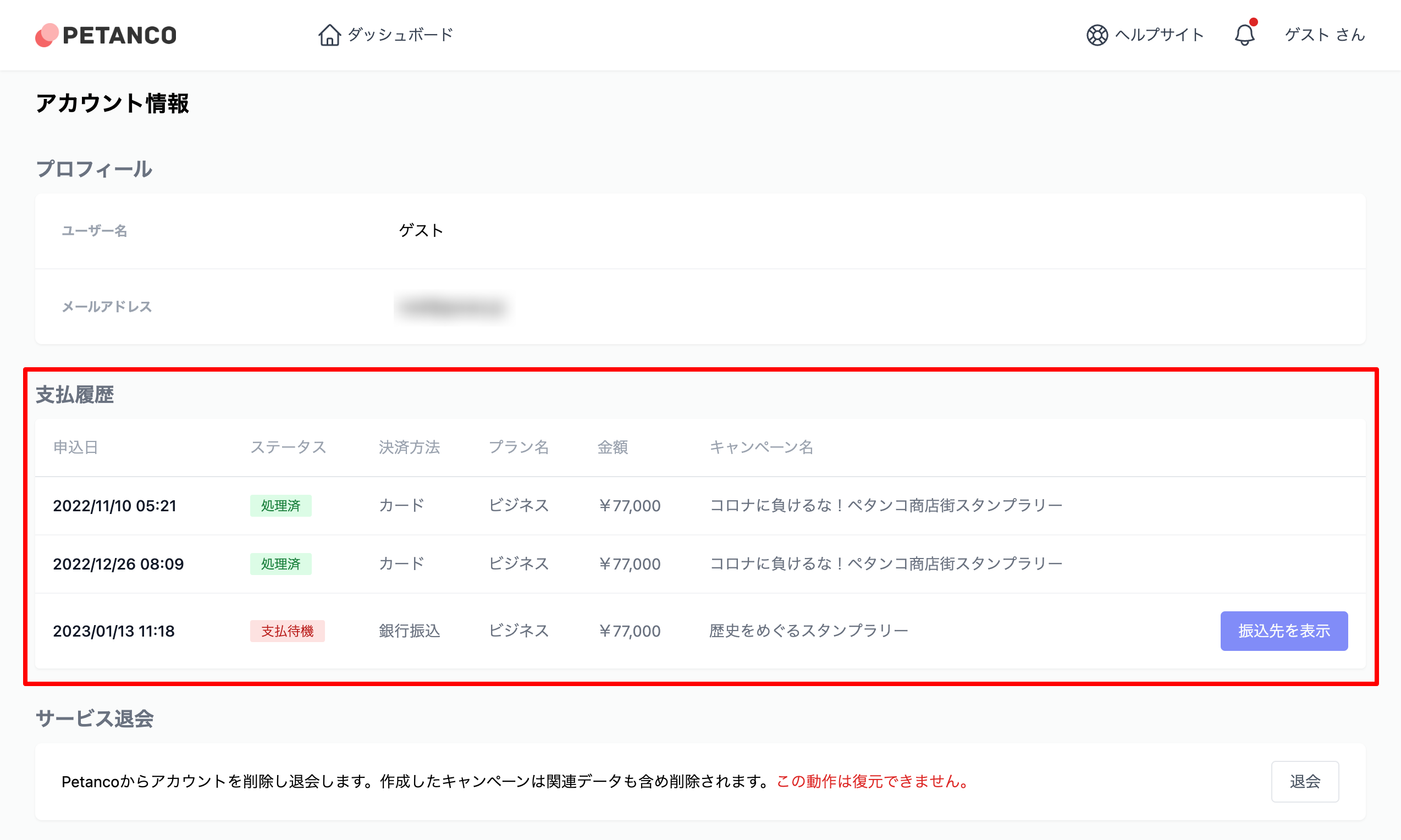
アカウント情報ページ
Previous Estimate、Request、Issuance of receipt
Next Environment required for Petanco operation
© GOWAS llc.