
Download statistical information (bonus)
Explains how to download statistical information。
At Petanco、We record the number of applications for benefits.。You can download overall statistical information and statistical information for each benefit.。
Download overall statistics
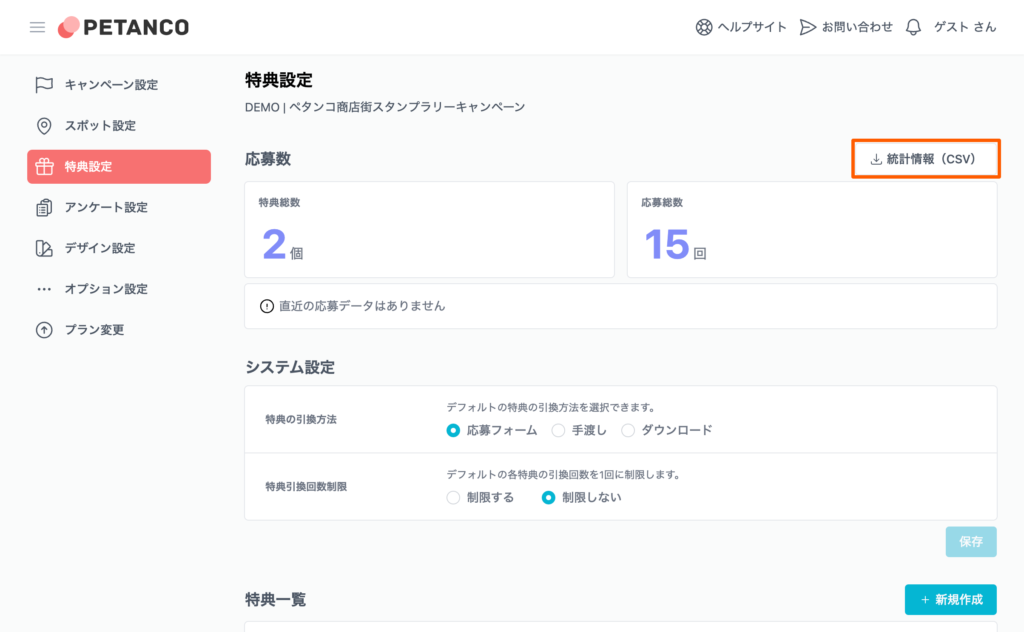
To download overall statistics、Click on "Statistical Information (CSV)" in the "Application Information" section of the benefit settings screen to start downloading.。
The data file format is CSV (character code UTF-8)。
Download statistics for each benefit
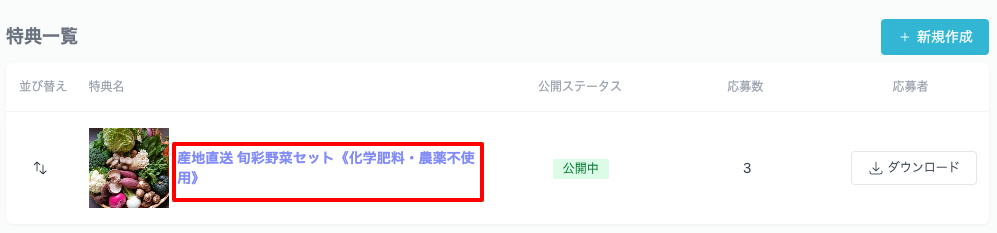
To download statistics for each benefit、Click on the title of the applicable benefit in the "Benefit List" section of the spot settings screen to go to the details screen.。
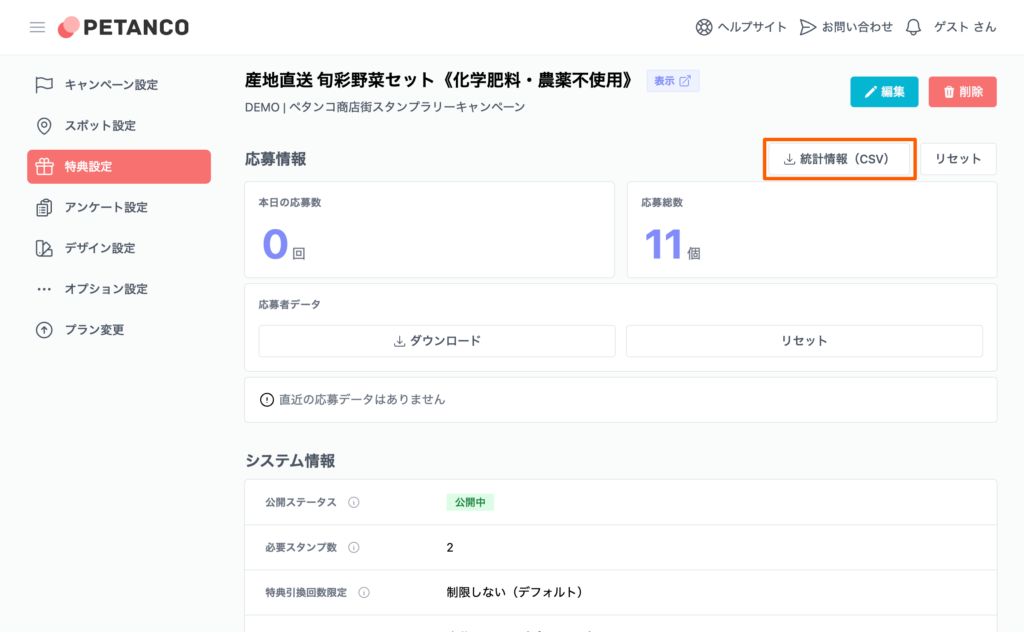
On the benefit details screen, click "Statistics (CSV)" in the "Benefit Information" section to start downloading.。
The data file format is CSV (character code UTF-8)。
If the characters are garbled when opening the downloaded file in Excel
Please try the steps below。
- Right-click the CSV file and select "Notepad" from "Open with"
- Open the CSV in Notepad、Check if the characters are garbled
- With Notepad open, select "Save As" from "File"
- Change the character code to "ANSI" and save
- Open the CSV file with Microsoft Excel, etc.、Check that there are no garbled characters