Benefit settings
I will explain the screen structure of benefits.。
Benefit setting screen
On the benefit settings screen、Check the application status of the created benefit、You can create benefits。
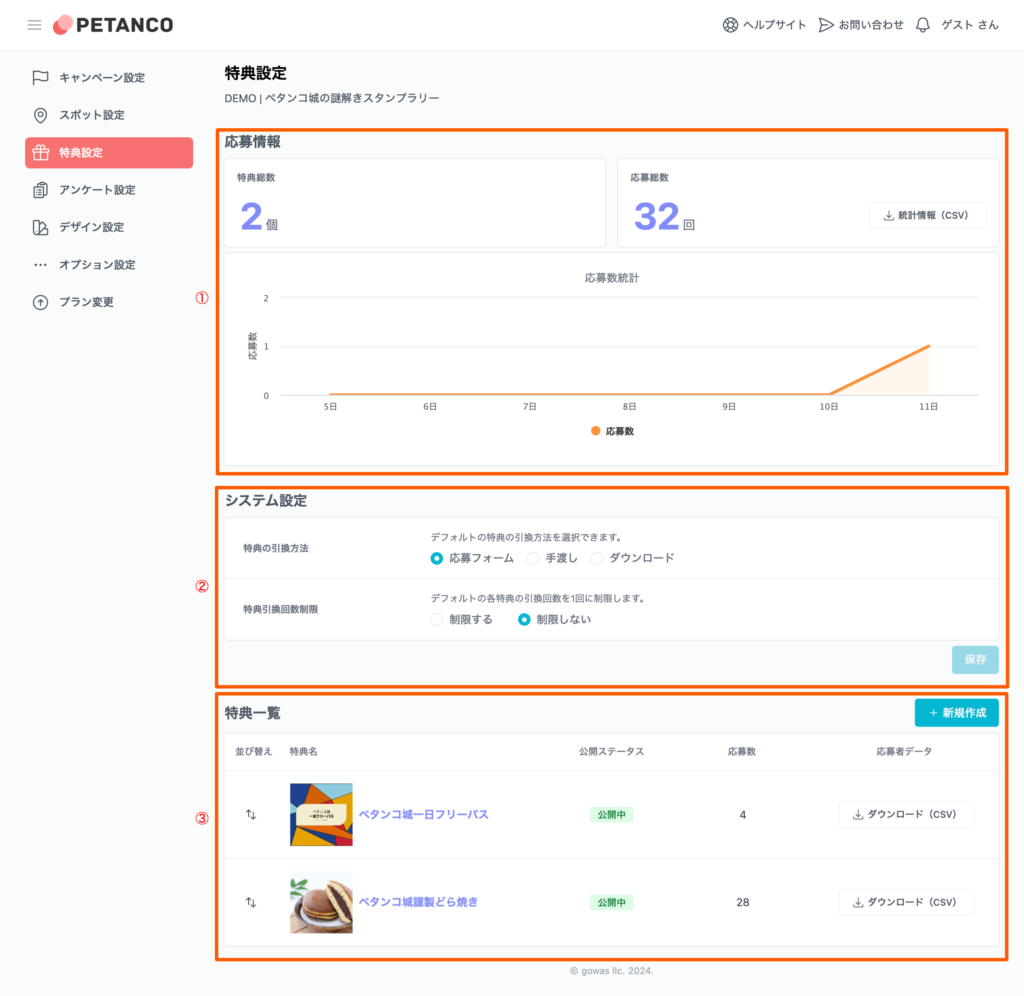
Application information
You can check the application status。Application data can be downloaded from the "Statistical Information (CSV)" button。
System setting
Configure various settings that apply commonly to all benefits.。
How to apply for benefits
How to apply for benefits、Application form、You can choose to hand it over or download it at the event venue.。

Limited number of redemptions
Limits the number of redemptions for each benefit to one by default。
-Petanco-11-26-2024_04_23_PM.png)
List of benefits
Benefits will be displayed in a list。Sorting the display order、Check publishing status、Check the number of applications for each benefit、Applicant data can be downloaded。
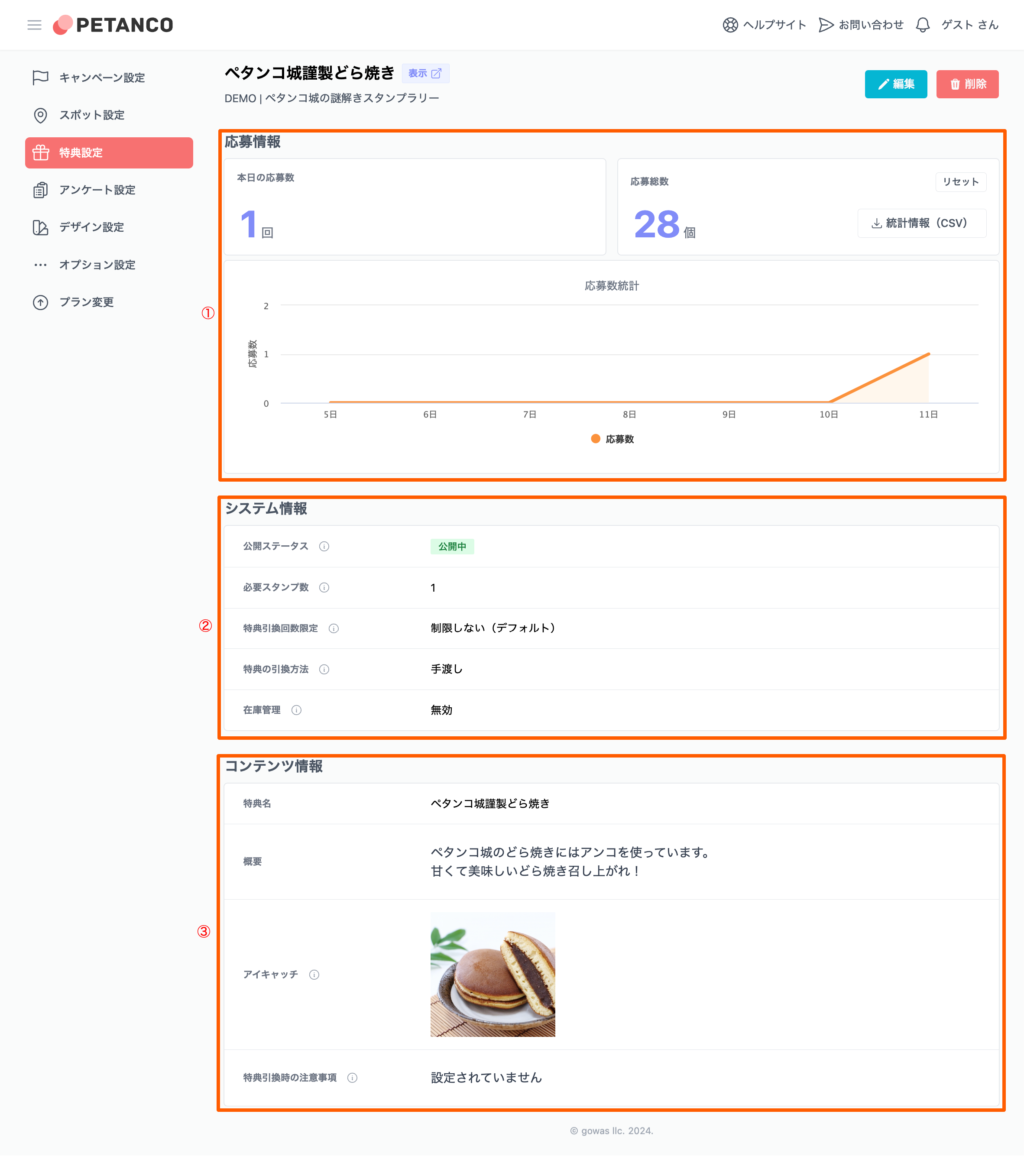
Benefit details screen
On the benefit details screen、Check the application status of the individual benefits you have created、You can set。